Throughout college and into the start of my career I never built much of a homelab past a Pi-hole server because, simply, I’d never had a need or want to. Everything I wanted to do was doable between my desktop and a couple VMs. My eyes were blind to the light until one fateful day when I went to a local security meetup. The talk of the night was a presentation of Offensive Labs Environments (Without the Suck) by Travis Kaun of TrustedSec and it introduced me to how simple, affordable, flexible, and fun a homelab could be.
Getting started
After that, I went out into the wide world of Facebook Marketplace, found a cheap off-brand NUC PC, slapped a better SSD & RAM into it, and thought that be good. Immediately off the bat in getting the PC set-up, I found the windows installation was still domain-joined to what appeared to be a defunct company. After some wrestling with resets, BIOS, and Windows 11 OOBE I was able to get it running normally. Continuing to follow the lab guide, I set-up Hyper-V and used the AutomatedBadLabs script to try deploying a range. Unfortunately, past that is where I fell off with homelabbing. While I’m sure it was user error (and a touch of sketchy FB Marketplace computer), I had numerous issues getting a range to deploy properly. The other issue I encountered at this point was that if I forgot to leave the NUC running, or encountered an issue with Tailscale, my lab was entirely inaccessible.
Round Two: The Network
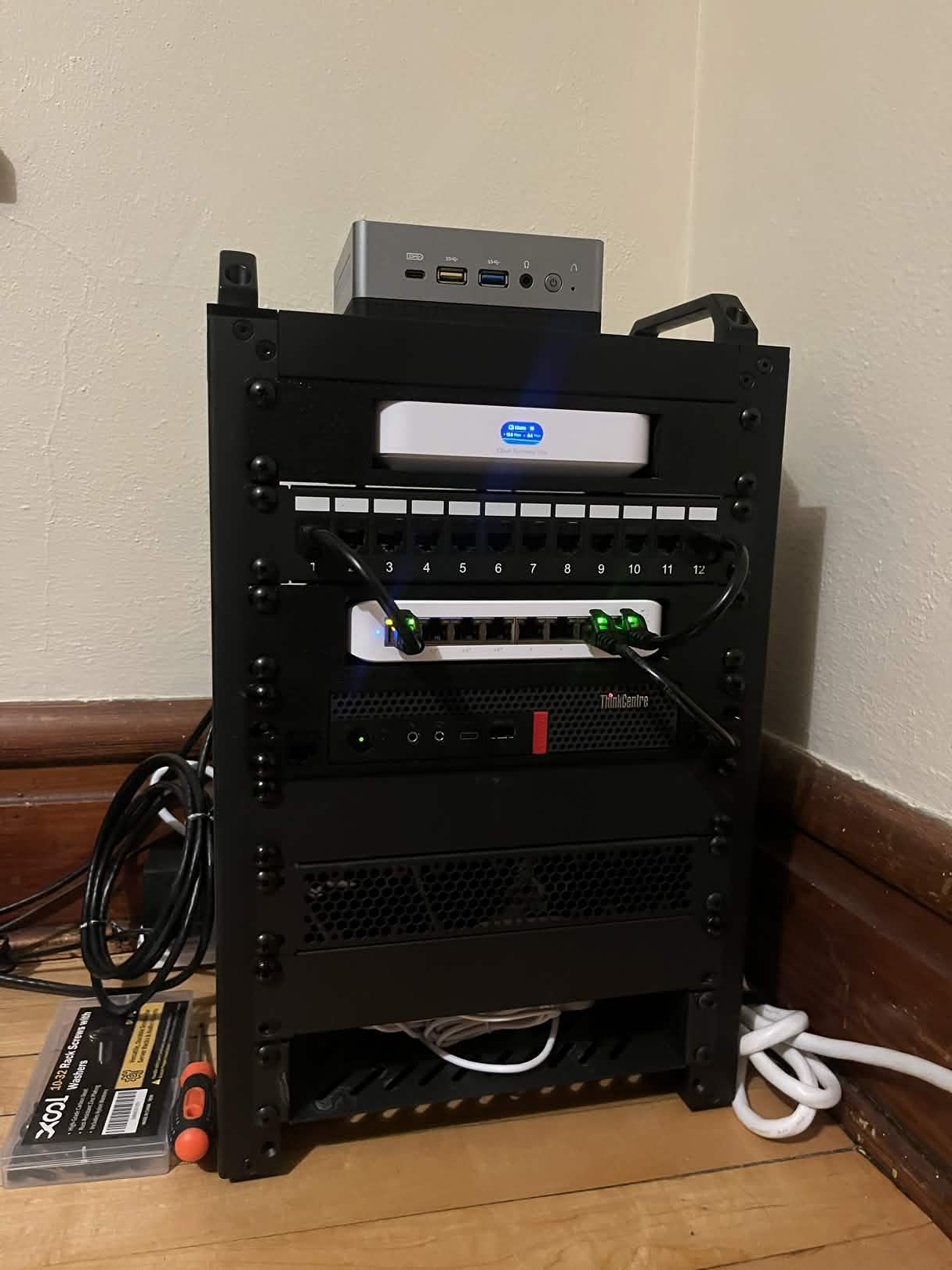
After a hiatus, a job change, and some continued education I decided having a homelab was a pursuit I needed to revisit and this time I decided it I should start with a better foundation: a home network better than the ISP router. Here, I decided I wanted three guiding principles: small form factor, easy to manage, and cheap. Originally, I planned to try to source second-hand equipment that would more closely resemble a production network, but Facebook marketplace was not ripe and I decided that would not align with the principals of small form factor or easy to manage. From there, I pivoted to the homelab classic of Ubiquiti gear. With gear in hand I set up my VLANs, configured my VPN, and I was off to the races of homelabbing. Though with less of a focus on the lab aspect, and more on fun of setting up a mini-rack. I was lucky enough to know some folks with 3d printers, so all my equipment could fit nice & neat.
Back to focus: security labs
With a nicer base network in place I pivoted back to the core of the project, a security focused lab to play around in. In my research, I found out about Ludus, an open source infrastructure management tool that already had several supported ranges like Game Of Active Directory, Splunk Attack Range, and a Malware lab. I picked up a ThinkCentre m920x that would fit nicely in my mini-rack to avoid any hardware based issues that the NUC might be the source of and O installed Ludus on it. It was ruinously easy to set-up, and much faster than I could set up VMs myself. So far on it, I’ve tested the Splunk Attack Range and the Game Of Active Directory.
Next Steps
Currently, I’m in no rush to move on to next steps (or spend more money) but when I am? I think a NAS server is in order for easier file access. I’d also like to investigate how I can better connect a Ludus Range to Azure or AWS for a hybrid environment for more options to experiment with logging, attack paths, and detections.